Already a member? Log into your account
Get instant access to millions of hours of recorded video & incident data from thousands of traffic cameras in Rochester, New York.
Get Started TodayRoadProof is trusted by the best organizations across America.















Are you part of a law enforcement agency? Get Roadproof now, for FREE. Click here to sign up.
With RoadProof, you can save thousands of dollars and hundreds of hours of time tracking down the video data you need, for whatever your end use case might be – whether it’s an accident case or criminal investigation.
Recorded video data that used to take days or weeks to find, can now be searched for, located and downloaded in a matter of minutes using the platform.
“The platform continues to be vital and a remarkable tool. It’s a great asset to our agency for all of our cases.”
Master Sergeant John A. Boos
Traffic Homicide Investigation, Florida Highway Patrol – Florida
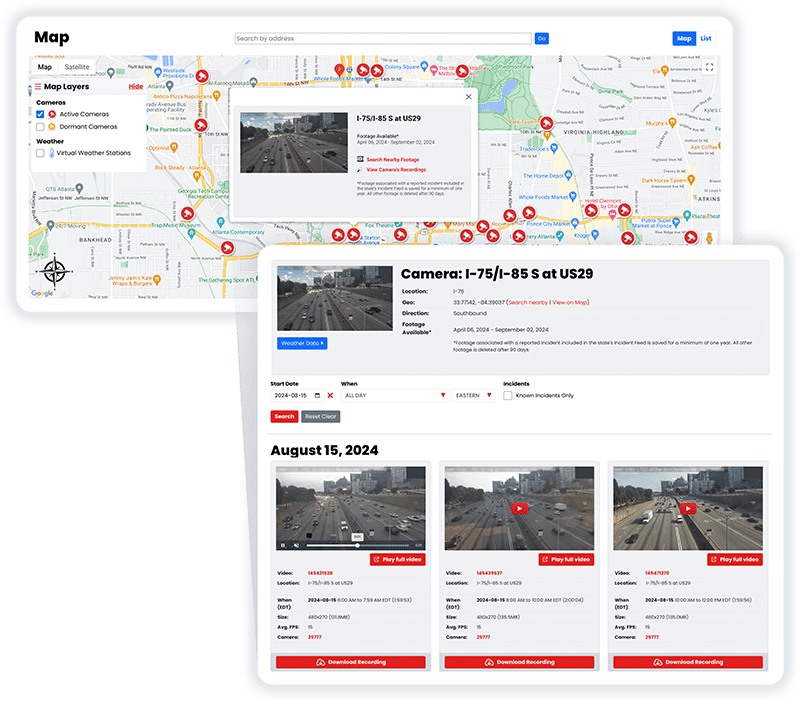
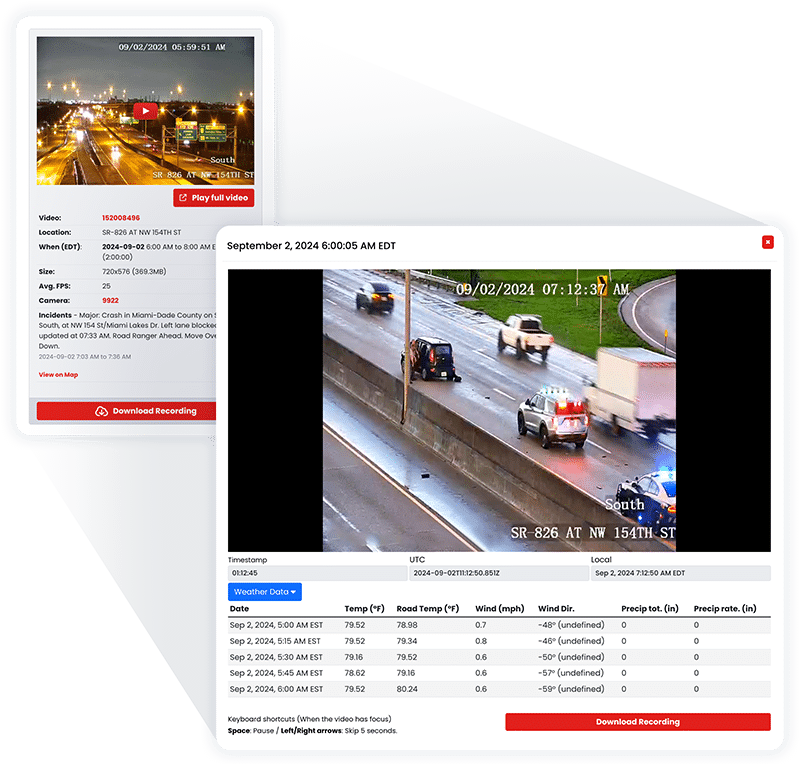
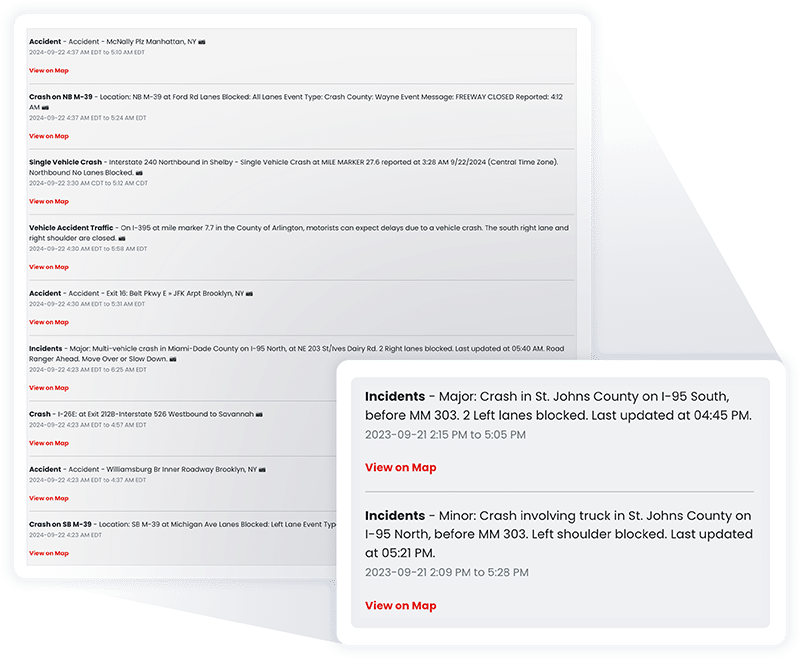
RoadProof offers a truly unique data set combining archived traffic video and a running incident feed available in most states on the system.
All of this data together allows you to get the whole picture, from the initial incident to the final outcome.
“IT WINS THE CASE. We saw the value of RoadProof immediately, you settle your cases 50% faster and for full value.”
Brian Labovick
Labovick Law Group – Florida
With our automated intelligence system, we’re able to match video footage from cameras nearby to any reported incident, and ensure that those vital video recordings are preserved in our archive for a minimum of one year.
While other systems only keep video footage for a couple of months, we keep the video footage that’s critical to your cases for much longer.
“Our case management department (which handles hundreds of cases each month) has nothing but praise for RoadProof.”
Kendra Fike
Bighorn Law – Nevada
Get started now to see how RoadProof can help you get the video data you need.
Get StartedAlready a member of RoadProof? Login here
“One of the first things I do when investigating a crash is obtain and preserve as much evidence as possible. Even before knowing all the parties involved, I immediately pull the RoadProof footage. Seeing the crash firsthand through the video is incredibly powerful. Having this video footage from the start really helps level the playing field between the plaintiff and the trucking company, which often delays or refuses to provide the truck camera video if at all.”
Jamie Mazzeo, Litigation Paralegal
The Truck Accident Law Firm – Florida


Accessing a Rochester traffic cam archive will allow you to find video of an accident or road incident. However, finding a camera for a particular area is merely the first step. Next, you need to determine who is responsible for operating the camera as well as if it captures images. Finally, you have to determine if there are any videos that cover the exact day and time of the incident. RoadProof is a service designed to assist licensed attorneys, law enforcement agencies, insurance professionals, and other authorized investigators in searching for available recorded traffic video based on both date/time and geographic area. Your attorney can conduct a search on your behalf if you were involved in a vehicle collision.
Begin with the most precise details you have about your incident. Include the intersection name, highway number, the direction of travel, date, and approximate time. Also include a police report number if possible; however, it will not be necessary in order to locate other nearby cameras.
RoadProof allows the user to search an interactive map to find cameras at/nearby the incident location. Video from these cameras, which are applicable to the same time frame as your incident, may also be viewed by searching this interactive map.
If the first camera does not capture the actual collision (crash) location, look to the areas approaching the intersection and view additional cameras that are further down each vehicle’s path. One of those cameras may record a vehicle entering the scene prior to the collision, or one of them may have captured a vehicle exiting the area post-collision.
A camera appearing on a map does not necessarily mean that it was operational at the time of the incident. It is likely that several factors contributed to whether or not the incident could be found on a recording, such as camera direction, maintenance outage, changes in viewpoints over time, and retention policies.
Some of the Rochester traffic cameras have recording capabilities while other cameras are primarily utilized as live traffic monitors. There isn’t an all-encompassing rule about which cameras have recording capability within the City of Rochester or across Monroe County. The answer is based upon what type of camera system there is, who is responsible for managing the camera systems (agency), and why they were originally installed.
Live feeds to traveler information websites help to determine if a route has heavy congestion, construction, snow, or current road conditions. They do not have an automatic public record; this means that even though a particular traffic camera appears to be providing a live feed of traffic at 8 am today, there may not be a recorded image of a collision that occurred last Thursday from that exact camera location available via that website.
The Monroe County Regional Traffic Operations Center has real-time views of traffic signal lights, cameras along primary city streets, and other local traffic corridors. In addition to watching how traffic is flowing, these cameras will allow transportation officials to quickly identify an incident and react accordingly. It is recommended that you confirm if a camera is recording and what time frame it retains those recordings, as this can vary depending on where in the city the camera is located.
The Rochester Police Department camera map identifies locations associated with Blue Light video and traffic camera programs. These systems serve different purposes. A public safety camera, traffic monitoring camera, and violation camera may capture different events and follow different access rules.
There isn’t one single department that oversees all cameras within the city of Rochester. In general, the appropriate authority will depend on the location of the incident.
Monroe County DOT controls most of the traffic light systems (traffic signals) for county roads and also for some City of Rochester streets. Therefore, if you have a serious accident at a major intersection, it would likely be helpful to look into the county traffic management operation system. Also, cameras operated by the Rochester Police Department would require a separate investigation.
In general, cameras located throughout the Rochester metropolitan area highways/primary state routes are managed by New York State transportation operations. Using the 511NY Finger Lakes and Rochester live maps can help identify live cameras near a highway incident, but the live map should not be treated as proof that historical footage exists.
A crash on I-90 may involve cameras operated through the New York State Thruway Authority rather than the city, county, or NYSDOT. Note the direction of travel, nearest interchange, and mile marker before searching.
If you experience an incident while traveling on I-90, it could potentially be monitored by cameras operated through the New York State Thruway Authority and not by either the city of Rochester, Monroe County, or NYSDOT. Please note the direction of travel, nearest exit/milepost, and mile marker prior to conducting research.
Other types of private video equipment include business security cameras, parking facility cameras, home security cameras, bus cameras, delivery vehicle-mounted cameras, and others. Even if no governmental agency’s camera captured your accident/video evidence, there may be private camera views available which show your accident. Do not focus solely on the accident itself. Any store or commercial establishment located along the approach road leading up to the accident location may have a better view than the camera(s) directly over the accident location.
Note the date, the approximate time, the road name(s), and the direction of travel for both vehicles. For example, if there was a highway involved, then make sure to take note of the route number, the travel direction, which exit is nearest (if applicable), and what milepost is nearest (if applicable).
You should look at all cameras around where the incident took place, even though you found one. The paths both vehicles were taking are very important in this case. In some cases, such as a hit-and-run or a disagreement over how a driver entered into an intersection, you will want to get a full picture of what happened using other cameras and viewpoints.
There could be several entities that own a camera installed near a traffic light. You need to verify ownership so that you do not spend your time trying to contact someone who does not have access to the camera.
Users of RoadProof will be able to locate existing video from cameras based upon their location and the specific time when they want to look at footage. Once you find footage of use, save both the original video file and its metadata (camera location, date/time) as well as any additional identifiers that were provided. Create a working copy for review purposes so that the original files are preserved in their original format.
Traffic video is not available indefinitely. Many traffic video systems overwrite video quickly; many live feeds do not produce archives. If your case has developed into an insurance claim dispute during this waiting process, you may have lost the chance to view the incident.
RoadProof solves that problem by continuously capturing all available traffic video and making incident-related video available for a longer period. This does not mean every camera in Rochester or every second of every day is available. It means that investigators and lawyers now have one practical resource to review prior to filing separate agency requests.
Three key pieces of data will start you on finding helpful video: what was the location at which the event occurred; when did it occur; and from which cameras could they have seen it. First, look for the nearest camera and then check the area around that camera’s route. Next, confirm as much as possible who has control over all of these cameras and how long they are going to keep this footage (because like so many other things, video doesn’t last forever).
If you are an attorney, investigator, insurance professional, or law enforcement official, you should contact RoadProof. If you were involved in a car accident in Rochester, NY, you should contact your attorney about reaching out to RoadProof or submitting your accident information for the possibility of having an attorney assist you in locating available video.
Get started now to see how RoadProof can help you get the video data you need.
Get StartedAlready a member of RoadProof? Login here
We will review your request within 1-2 business days and will contact you by either phone or email, or both. In the meantime, learn more about your team!