
How to Request Camera Footage for Car Accident Claims
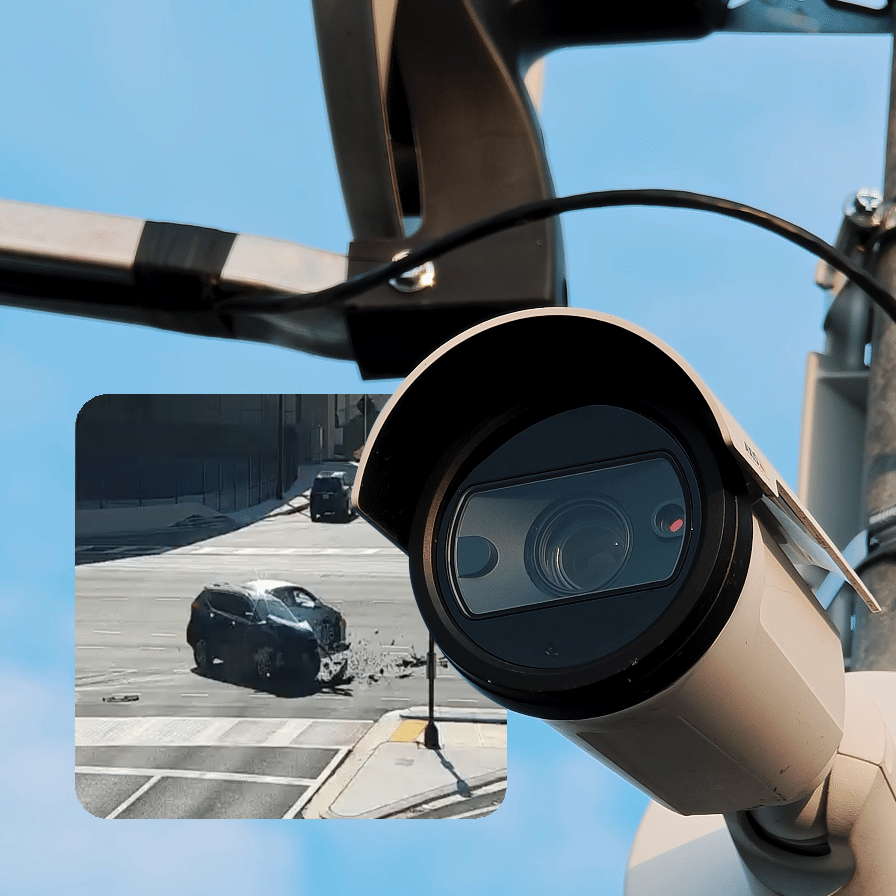 To request camera footage after a car accident, first, find out who has control of the camera footage, then tell them where and when the car wreck occurred, and finally ask that they preserve and release the footage as quickly as possible. If you have injuries from an auto accident, contact RoadProof for an easy way with a licensed lawyer who will look at whether or not there is a traffic camera in the area and talk about your claim.
Secondly, if you know how to ask for a traffic camera video for car accident claims, you’ll know what type of request to file. An archive search is one type of source; a public record request another, and a request to a local merchant a third. All three have their own laws regarding access.
Find Video Footage from RoadProof Today
If you're a law firm or business, sign up today to start downloading video.
Start Your AccountRelated Reading
Truck Accident Investigation After a Fatal Crash
Start With RoadProof’s Injury Request Process
RoadProof is a commercial platform for viewing archival traffic video. If you are already working with an attorney, we encourage you to share this information with your attorney so he/she can look into accessing the footage through us.
If you suffered a personal injury as a result of a collision but don’t have an attorney yet, then our Individual Request Form allows you to input the specifics regarding your accident so that we may refer those details to a licensed Personal Injury Attorney in your area who will contact you regarding the potential merits of your claim and, if applicable, determine if there is video of your incident.
Please Note: Our individual intake process is for incidents resulting in personal injuries. It does not allow direct consumer downloads, nor does it address only vehicle damage/disputes regarding traffic citations. Please review our access information prior to making a request.
Check Coverage Before Assuming Video Exists
Our coverage page provides specific information about which States are currently part of our network and indicates where access restrictions apply. Being included on our list means only that the state has cameras that are potentially part of our network. The real questions would be whether one or more cameras within our network have been installed to capture footage of your exact location at the correct time. This is also dependent upon several other factors such as the direction in which the camera was pointed, obstructions (i.e., trees, buildings, etc.), and whether the camera was active and recording at the time of your incident.
How to Request Camera Footage for Car Accident Evidence
When requesting footage in a manner that provides the person reviewing sufficient data so they can locate the correct video and recognize your accident among others, it’s essential to have this data ready prior to either submitting a form or contacting the owner of the camera.
Gather the Details That Identify Your Crash
- Date & Time: Record the time zone and state whether you’re able to provide an exact or approximate time.
- Exact Location: If possible, record an address, intersections, highway exits, mile markers, or GPS locations.
- Travel Direction: Describe which lane you were driving in, approaching an intersection or stop sign/stop light, and where each vehicle came to rest.
- Vehicle Descriptions: Record color(s), make(s), model(s), and any other distinctive feature(s).
- Incident Description: Briefly describe your incident; include the presence of injuries (if applicable); police agency and/or report number (if assigned).
- Contact Information: Provide a contact method that will allow the individual viewing the evidence to contact you; and identify any attorney involved with your claim.
If your crash happened near midnight, double-check the date. When you are unsure of the time, explain your uncertainty instead of presenting a guess as an exact timestamp.
Request Preservation and a Copy Separately
When requesting someone to preserve footage, you are asking them to save it so that it cannot be deleted or overwritten. When you request a copy, you want to know if they will make it available and in what way (or manner) they will make available their copy.
When it is reasonable to do so, make both requests and obtain a written statement confirming what was preserved. A request itself does not ensure preservation, nor does it establish unrestricted access. An attorney may need to review your preservation obligations and determine additional steps to take.
Keep a Record of Your Requests
Obtain confirmation that the item(s) were submitted by saving the submission confirmation, tracking #, recipient’s name, etc., as well as any response received. Also, document which items are still pending and confirm whether there are recordings available.
Additionally, if a company refers you to a security department or corporate office, include this information in your documentation. It is likely easier to follow up with the person controlling the recording rather than the front desk.
Use the Right Route for Each Video Source
Your attorney will likely look into video evidence at RoadProof as well as video evidence available through businesses (such as surveillance systems), driver/owner vehicle cameras, transit agencies, and/or government entities.
Traffic Cameras and Public Agencies
First, contact the entity that operates the traffic camera to determine if they have archived the appropriate date range and how you can get copies of existing archives. Even though you are viewing a “live” feed on their website does NOT mean there is an archive.
The Federal Highway Administration’s guidance provides insight into why different agencies have varying policies regarding archiving and releasing video. Therefore, find out which agency has control over the traffic camera now (not the original installation) to see their current policies and procedures regarding retaining data (and possible costs associated).
State/local footage should be requested through the state/local records process.
Businesses, Homes, and Vehicle Cameras
You need to initially contact the business/homeowner/person who owns/operates the camera that captured the video evidence. Provide the exact location and approximate date/time of when the event occurred. Ask the individual to save/archive the portion(s) of the video relative to your case. Request information about what documentation/information they may need to provide you with a copy of the saved/video footage.
You may make a successful voluntary request for this type of footage; however, do not assume that because you were recorded, you automatically have access to that footage. If denied, allow your attorney to review the lawfulness of obtaining such evidence using alternative methods.
Act Before Evidence Becomes Unavailable
Since there is no national deadline for requesting accident videos, availability will depend on the person or organization who recorded it, their policies for retaining recordings, and any local laws governing how long recordings can be preserved.
Ask immediately, instead of waiting for you to get into a disagreement with the other party’s insurer. Just because you have requested the video does not mean they have taken steps to secure it.
Separate from the video request are the deadlines by which you need to file your legal claim. Your attorney should look up the deadline for filing an injury claim in your area as well as any specific notification deadlines (particularly if a governmental agency is likely to be involved). Do not assume that simply making a video request will extend these timeframes.
What Footage Can Contribute to Your Injury Claim
Video can support your case in determining the movement of vehicles, the sequence of impact(s), or if one driver had time to stop prior to crossing the intersection. The importance of video will depend upon what the camera was able to record.
The video may have limitations (i.e., there could be missing pieces) or present facts that contradict your description. Your attorney will need to consider all of the available documentation, including photos, eyewitness statements, and the police accident report along with the video.
Your medical records and financial documents are very important for your injury claim. While video may provide some insight into what occurred during a collision, it cannot prove that you were diagnosed, required treatment, lost income, etc.
Frequently Asked Questions
What If the Camera Owner Says There Is No Video?
Determine if the camera never captured video, the video was deleted, the correct timeframe was reviewed, or some other company retains the footage. Each response will guide your options to be considered by counsel.
Counsel may then want to review additional angles of video or an alternate source. Any service cannot provide footage that was never taken or does not exist anywhere.
Can a Recording Help If It Misses the Actual Impact?
Yes. Depending on the disputed issues in the case, video showing vehicles moving at certain times before or after an accident could assist in establishing timelines and vehicle positions and movement.
Do not use a partial view as a total explanation for why an accident occurred.
Last updated Monday, November 2nd, 2026