Already a member? Log into your account
Get instant access to millions of hours of recorded video & incident data from thousands of traffic cameras in Texas.
Get Started TodayRoadProof is trusted by the best organizations across America.





















Are you part of a law enforcement agency? Get Roadproof now, for FREE. Click here to sign up.
With RoadProof, you can save thousands of dollars and hundreds of hours of time tracking down the video data you need, for whatever your end use case might be – whether it’s an accident case or criminal investigation.
Recorded video data that used to take days or weeks to find, can now be searched for, located and downloaded in a matter of minutes using the platform.
“The platform continues to be vital and a remarkable tool. It’s a great asset to our agency for all of our cases.”
Master Sergeant John A. Boos
Traffic Homicide Investigation, Florida Highway Patrol – Florida
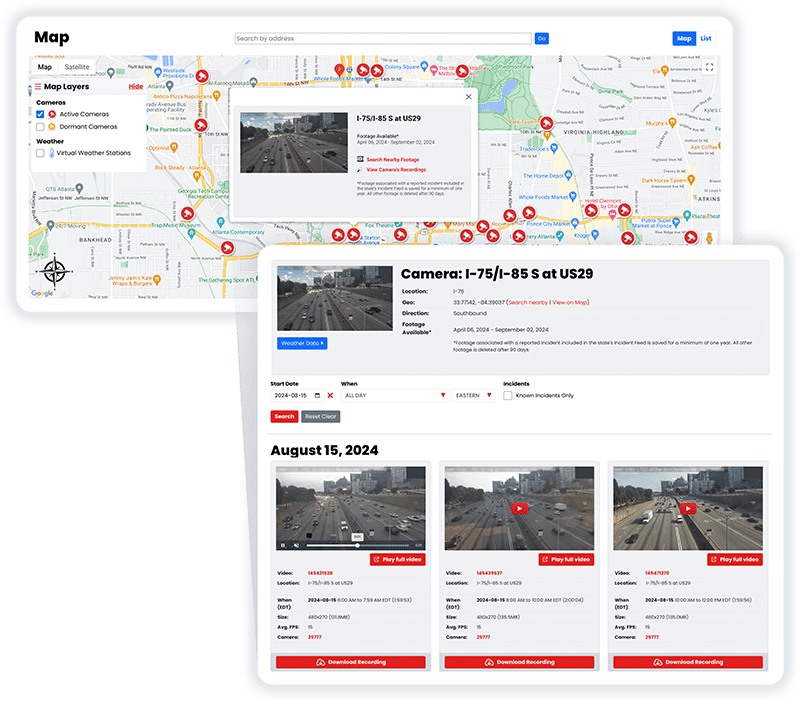
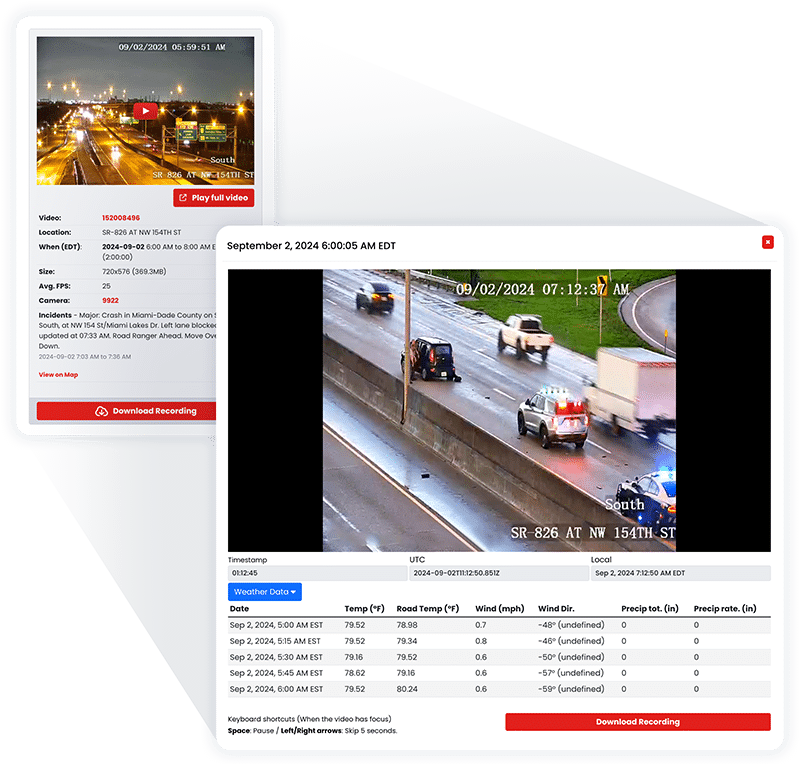
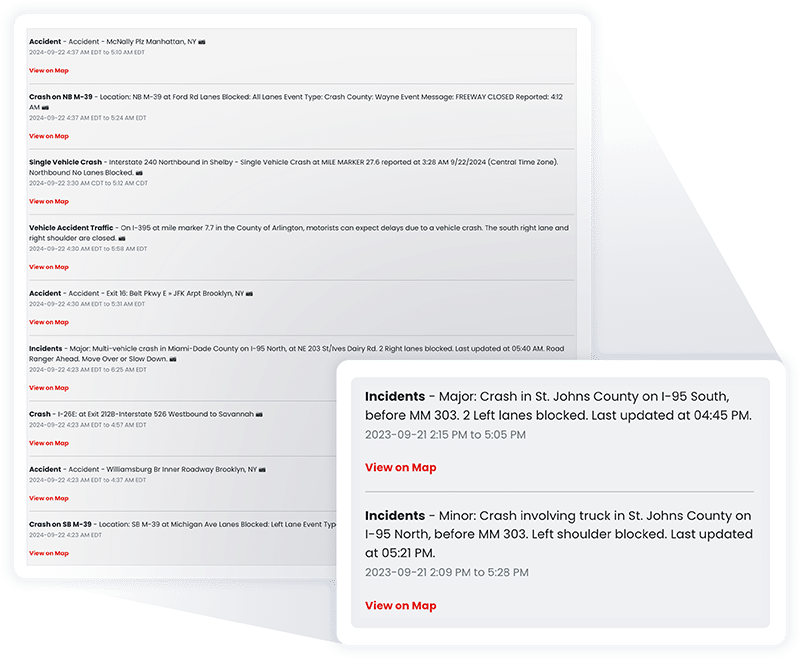
RoadProof offers a truly unique data set combining archived traffic video and a running incident feed available in most states on the system.
All of this data together allows you to get the whole picture, from the initial incident to the final outcome.
“IT WINS THE CASE. We saw the value of RoadProof immediately, you settle your cases 50% faster and for full value.”
Brian Labovick
Labovick Law Group – Florida
With our automated intelligence system, we’re able to match video footage from cameras nearby to any reported incident, and ensure that those vital video recordings are preserved in our archive for a minimum of one year.
While other systems only keep video footage for a couple of months, we keep the video footage that’s critical to your cases for much longer.
“Our case management department (which handles hundreds of cases each month) has nothing but praise for RoadProof.”
Kendra Fike
Bighorn Law – Nevada
Get started now to see how RoadProof can help you get the video data you need.
Get StartedAlready a member of RoadProof? Login here
“One of the first things I do when investigating a crash is obtain and preserve as much evidence as possible. Even before knowing all the parties involved, I immediately pull the RoadProof footage. Seeing the crash firsthand through the video is incredibly powerful. Having this video footage from the start really helps level the playing field between the plaintiff and the trucking company, which often delays or refuses to provide the truck camera video if at all.”
Jamie Mazzeo, Litigation Paralegal
The Truck Accident Law Firm – Florida


This page covers three things: where to find live Texas traffic cameras, what those cameras actually record (and what they don’t), and what your options are if you need video after a crash. We’ve included links to the official TxDOT and regional tools, plus a clear explanation of how RoadProof works for attorneys, law enforcement, and insurance professionals who need archived footage.
Jump to what you need:
Most Texas traffic cameras exist for one purpose: helping transportation operators monitor road conditions in real time. They’re not recording everything and storing it for later. TxDOT runs these cameras to watch for incidents, congestion, and weather events so dispatchers can respond. Once the live feed moves on, there’s typically nothing saved.
It’s also worth knowing the difference between traffic monitoring cameras and enforcement cameras. Traffic monitoring cameras (the kind you see on DriveTexas and TxDOT feeds) are managed by transportation agencies and are not recording for enforcement purposes. Red light cameras are a separate category entirely. Texas actually banned red light cameras statewide in 2019, so those are no longer a factor at intersections across the state.
TxDOT maintains a directory of live camera views organized by metro area. You can access cameras for Houston, Dallas-Fort Worth, San Antonio, Austin, El Paso, Lubbock, Amarillo, and other regions. Each regional page takes you to live feeds from cameras along major highways and corridors in that area.
To get there, go to the TxDOT website and look for the “See live traffic cameras” section. The cameras are static image feeds that refresh periodically, not continuous streaming video in the traditional sense.
DriveTexas (drivetexas.org) is TxDOT’s public-facing road conditions tool. If you want to see camera locations on a map rather than browsing by region, this is a better option.
A few things to know before you use it:
For major Texas cities, the metro-specific traffic management systems often have denser camera coverage and faster updates than the statewide tools. If you’re specifically trying to watch traffic in Houston, for example, the regional portal gives you more options than you’d find by starting with the statewide directory.
Houston TranStar is the joint transportation management center for the Houston region, operated by TxDOT, Harris County, the City of Houston, and METRO. Their camera system is one of the most extensive in the state.
On the Houston TranStar website, you can browse cameras by freeway corridor or by street-level view. The site is also accessible on mobile, which makes it useful for checking conditions before you leave.
Important note: Houston TranStar explicitly states that camera video is not archived. You can watch the live feed, but there is no stored footage to retrieve after the fact through their system.
A note on content usage: RoadProof does not frame, hotlink, or mirror Houston TranStar camera images or graphics. Their posted terms prohibit external framing and linking to specific images or graphics without express written permission. If you want to view Houston TranStar feeds, go directly to their site.
TxDOT and DriveTexas are both clear that their traffic camera footage is not recorded or stored for later retrieval. The official feeds you see on those platforms are live only. If you were in a crash and you’re hoping to pull archived video from a TxDOT camera, that footage generally does not exist to be retrieved.
Houston TranStar says the same thing on their end: camera video is not archived through their system.
This is frustrating to hear after an accident, but it’s the reality of how most public traffic camera infrastructure works in Texas. The cameras serve traffic management, not evidence preservation.
When official traffic cameras aren’t the answer, other sources sometimes are:
RoadProof is a platform that gives authorized professionals access to millions of hours of archived traffic camera footage across the country, including Texas. It combines archived video with a running incident feed, which lets investigators look at a crash from multiple angles: what the cameras saw, and what official incidents were logged nearby.
The platform is built for professional use. RoadProof provides access to law enforcement agencies (for free), licensed attorneys, insurance companies, and accident reconstruction firms. It does not provide footage directly to individuals looking for traffic camera video for personal use, ticket disputes, or non-injury situations.
If you were injured in a crash and don’t have an attorney yet, RoadProof can refer your information to a licensed personal injury attorney in your area who can access footage on your behalf. If you already have an attorney, point them toward RoadProof. They can get access to whatever footage exists much faster than going through public records requests with individual agencies.
Find out if RoadProof can help your case at roadproof.com
If you’re checking traffic cameras to plan your route, do it before you leave or have a passenger handle it. NHTSA data shows that taking your eyes off the road for even two seconds at highway speeds means you’ve traveled the length of a basketball court without seeing anything. Looking at a camera feed on your phone while driving isn’t worth it.
Generally, no. TxDOT operates its traffic cameras for live monitoring, and the agency has stated that footage is not recorded or stored for later retrieval. The cameras feed into traffic management centers so operators can watch road conditions in real time, but there is no archive of past footage accessible through TxDOT channels.
DriveTexas verifies road condition information before posting it, which introduces a delay. The site is not a second-by-second live feed.
Conditions on the map may lag behind actual road conditions by some margin, and camera images refresh periodically rather than streaming continuously. Use it for general situational awareness, not precise real-time updates.
Camera networks go down for a variety of reasons: equipment failures, maintenance windows, power issues, and weather events. A camera showing offline on TxDOT or DriveTexas doesn’t necessarily mean there’s a problem with the road, just with that particular piece of equipment. Coverage is uneven across the state, and rural areas have far fewer cameras than urban corridors.
No. Houston TranStar explicitly states that camera video is not archived. The feeds are live only. If you need video from a crash in the Houston area, you’ll need to look at other sources: business cameras, private systems, or a platform like RoadProof that aggregates footage from non-public camera networks.
No. Texas banned red light cameras in 2019. Existing programs were shut down, and new ones cannot be installed. Any red light camera tickets issued after that ban went into effect were unenforceable. If you were cited by a red light camera system in Texas, it’s worth verifying the date of the alleged violation against the date when your local program was required to shut down.
Sources consulted:
Get started now to see how RoadProof can help you get the video data you need.
Get StartedAlready a member of RoadProof? Login here
We will review your request within 1-2 business days and will contact you by either phone or email, or both. In the meantime, learn more about your team!